Downloading....
Please click here if your download doesn't start automatically.
Downloading 2stitch Organizer on your Mac
Safari should start the download automatically. Click on the arrow icon at the top of this window and wait until the download is finished.
Click on the 2stitch-1.1.4.dmg to continue with the installation.
Installing 2stitch Organizer on your Mac
You should see a window like the one below after a short time. If this is not the case open your Downloads folder in Finder and double-click 2stitch-1.1.4.dmg.
Drag the 2stitch Organizer.app icon from the left onto the Application folder to install it:
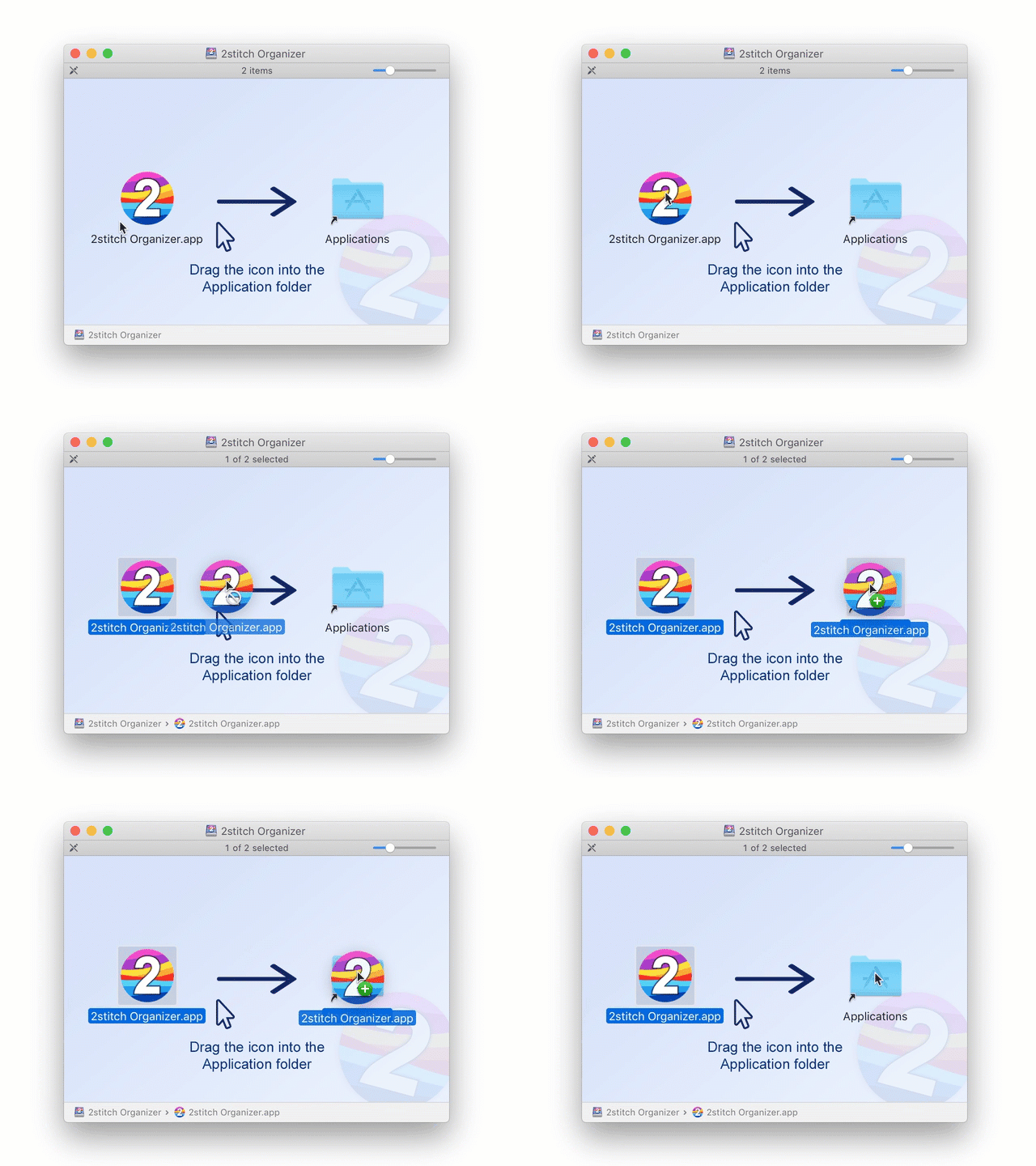
2stitch Organizer is now installed. Open Finder and navigate to the Applications folder. Double click the 2stitch Organizer icon to start it.
macOS presents you with a warning that this application was downloaded from the internet from www.codeandweb.com — this is ok. (CodeAndWeb is our company and we store the downloads for 2stitch on the main page for simplicity). Simply click Open:
